
The Process Refunds feature allows businesses to return money to a customer. Refunds can only be processed when there is a negative amount in the order or payment record, ensuring that only overpaid or canceled amounts are refunded.
- Log in to your rental platform. From the left-side menu, select Orders → Rent Orders.


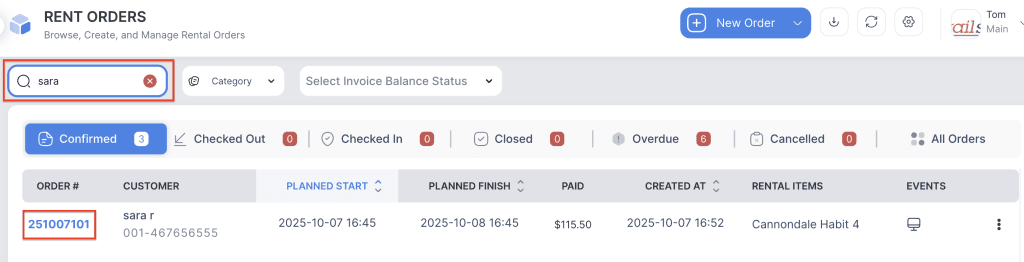
2. Search for the main customer name or order number in the search box and click on the Order Number to open the reservation.
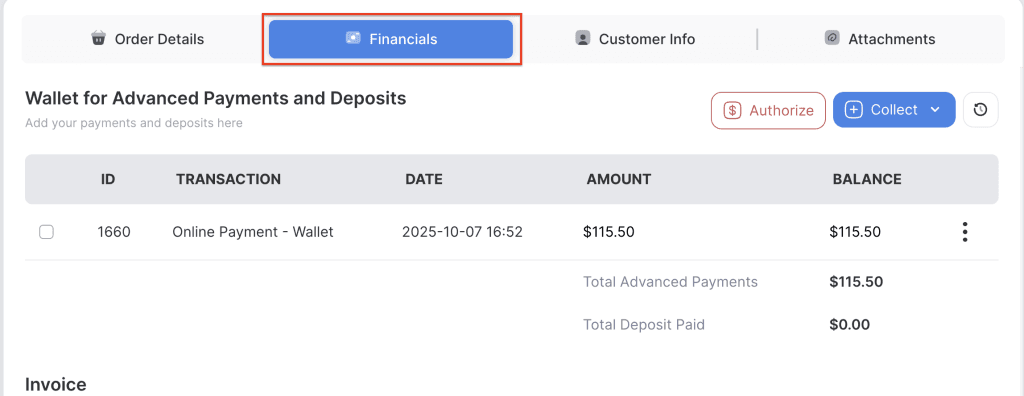
3. Go to the Financials tab.
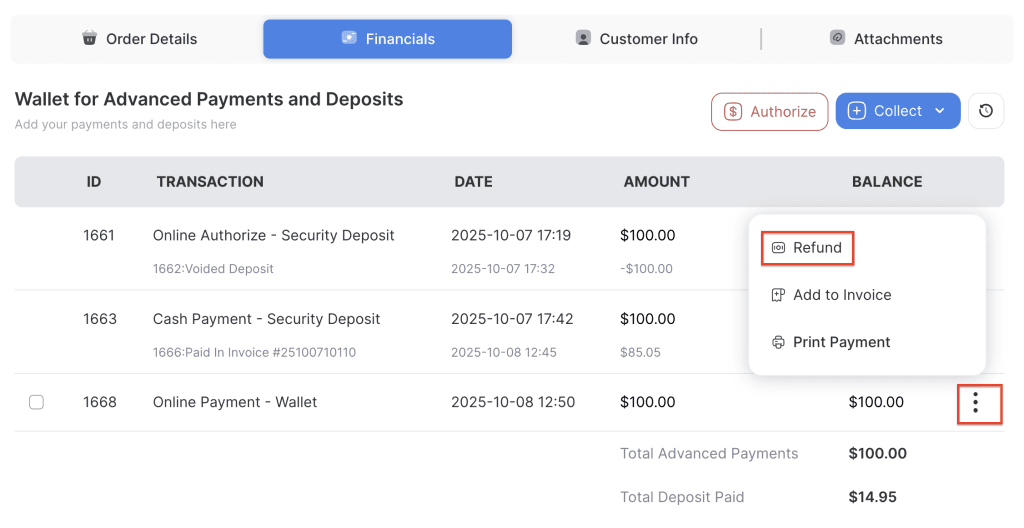
4. Refunds without Invoice – Click the three-dot menu of the payment and select the Refund option.
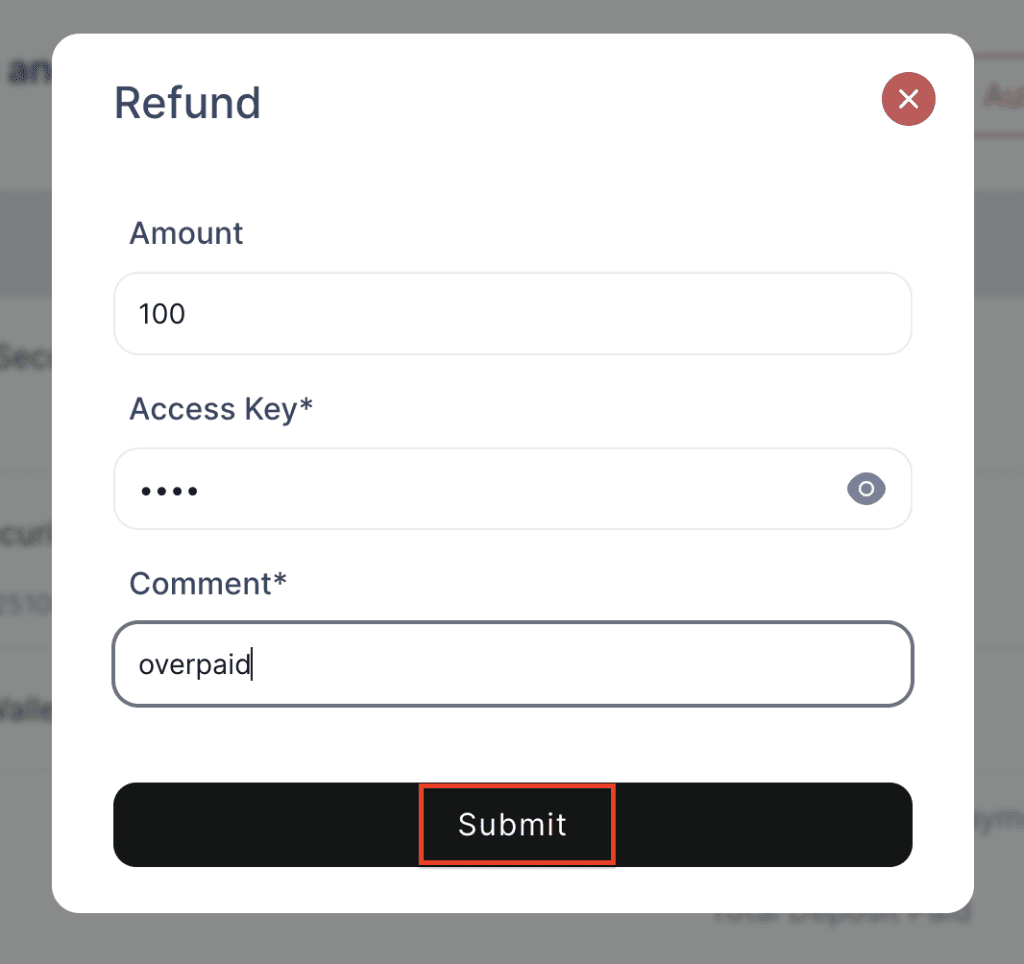
5. Enter the refund amount, access key, and a comment, then click the Submit button.
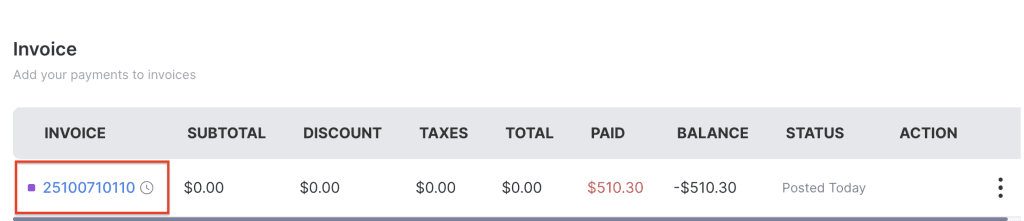
6. Refunds on the Invoice – Click the invoice number to view the invoice details.
7. Click the Refund button and select the specific payment you want to refund, especially when multiple payments have been made.
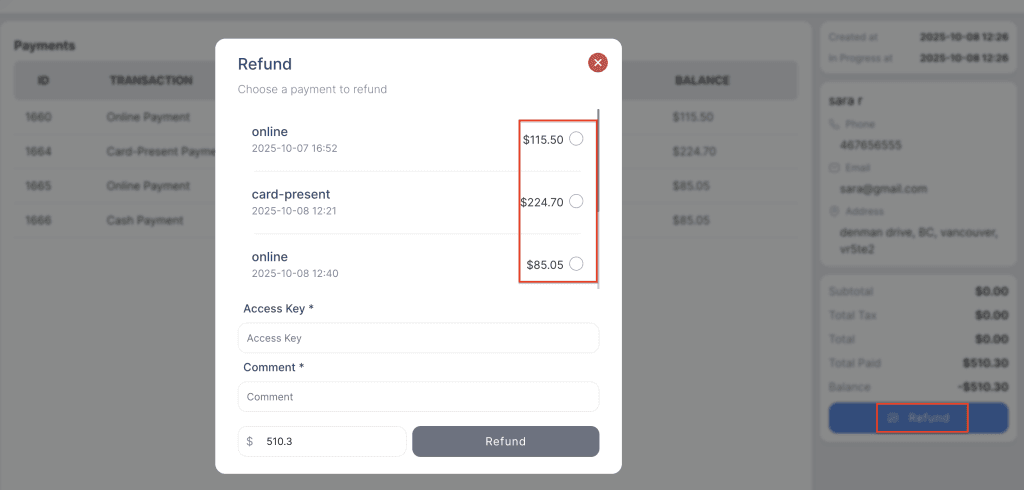
8. Enter the refund amount, access key, and a comment, then click the Refund button.