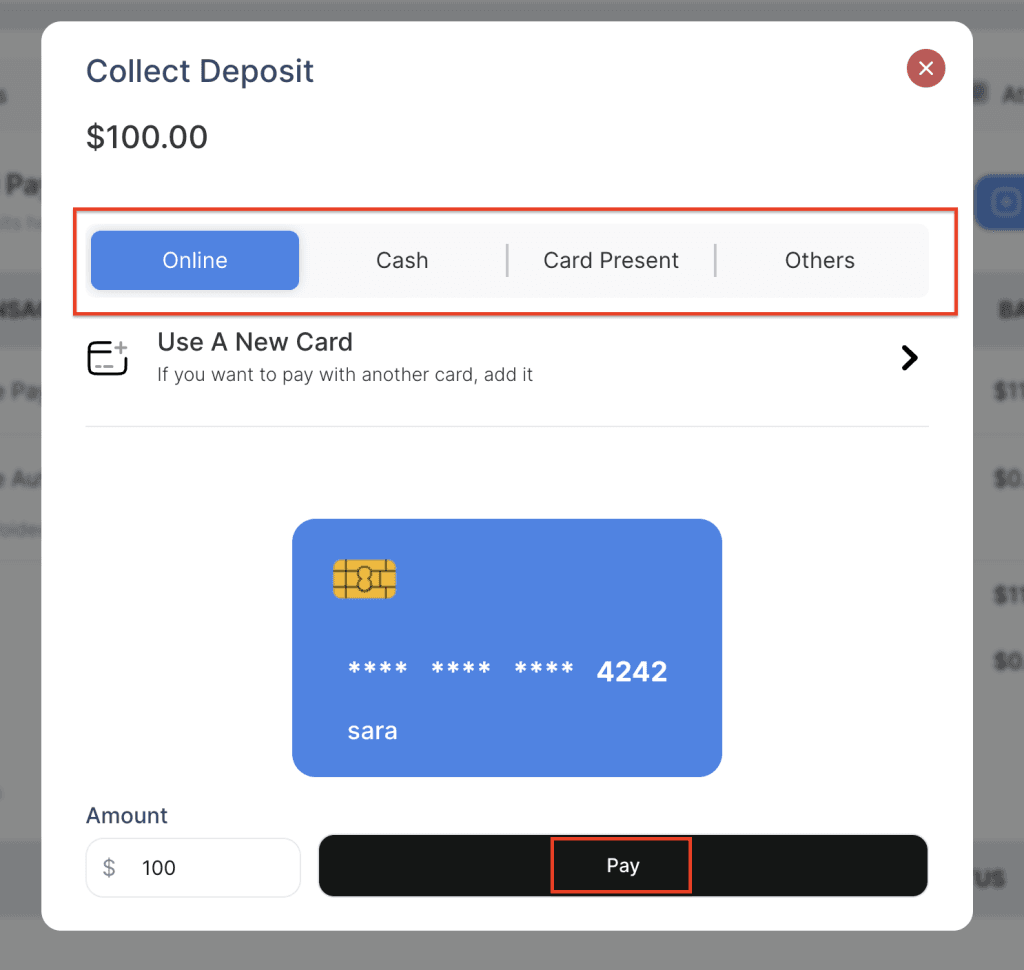
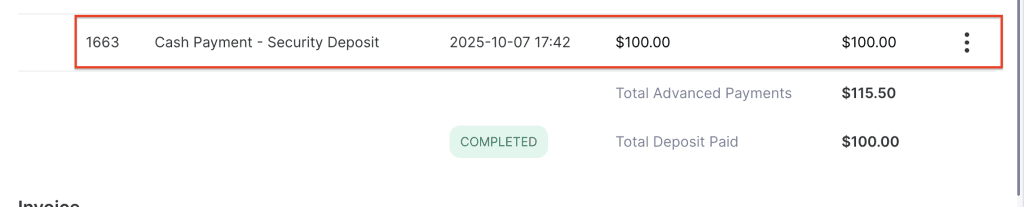
The Manual Hold on Card for Security Deposit feature allows the user to collect a security deposit manually by clicking the deposit button. Deposits can be collected using various methods, including card on file, cash, or terminal payment, giving flexibility depending on the payment preference of the customer.
- Log in to your rental platform. From the left-side menu, select Orders → Rent Orders.


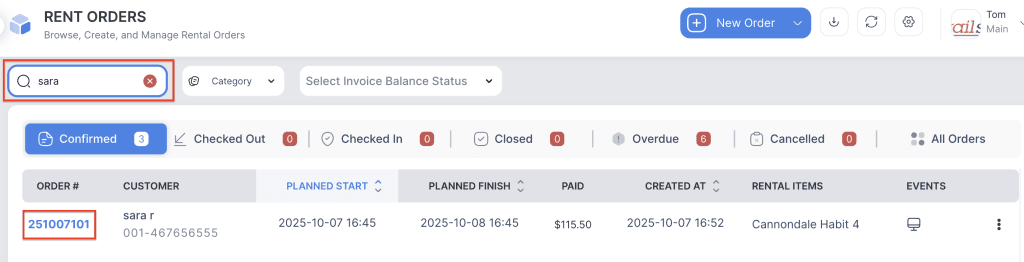
2. Search for the main customer name or order number in the search box and click on the Order Number to open the reservation.
3. Go to the Financials tab.
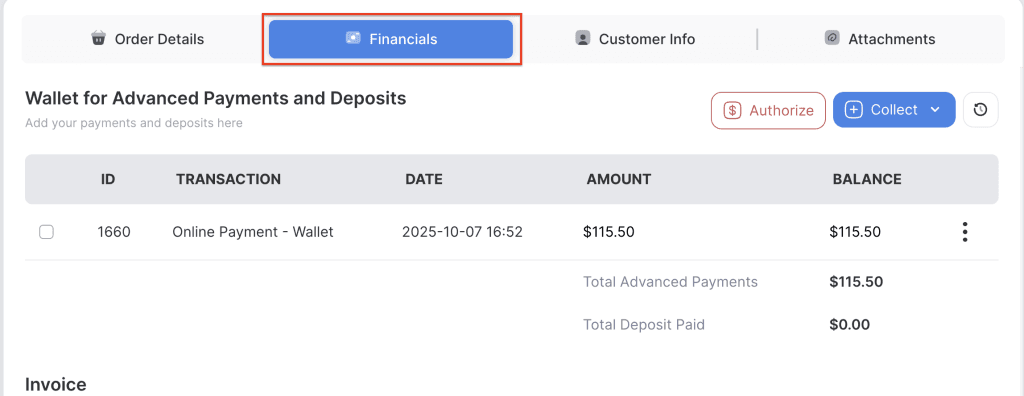
4. Click on Collect dropdown button and Select Deposit button
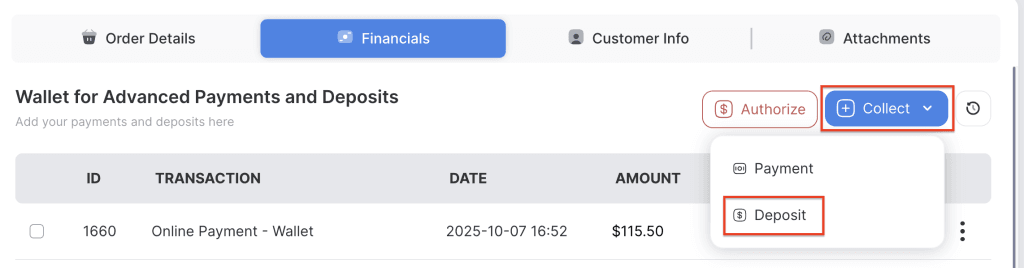
5. Choose the method of deposit.
- Card on Profile – Uses the customer’s saved card information on file to authorize or collect the security deposit automatically.
- Add a New Card – Allows the user to manually add a new card and charge or authorize the deposit using the newly added card details.
- Cash – The deposit is collected in cash and recorded manually in the system as a cash deposit.
- Card Present – The deposit is collected by processing a physical card through a connected payment terminal (e.g., Stripe or Square terminal).
- Others (Bank Transfer, Invoice, Cheque, etc.) – Used when the deposit is collected through alternative payment methods such as a bank transfer, cheque, or separate invoice transaction outside the main payment system.
6. Click on the Pay button to collect the deposit amount.