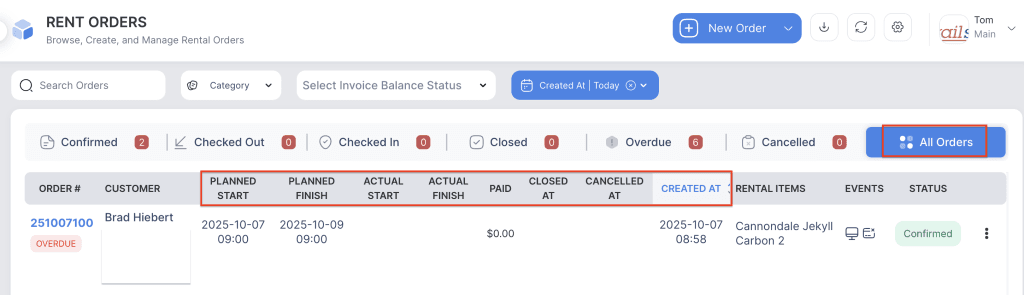
The Sort Orders Based on Order Status feature allows you to organize and view orders according to their current status and important timeline events. This helps in tracking the progress of each order and managing operations efficiently.
You can sort orders based on:
- Order Created At: Displays orders in the order they were created.
- Plan Start: Sorts orders by their scheduled start date.
- Plan Finish: Sorts orders by their scheduled end date.
- Actual Start: Displays orders based on the actual date and time when the order began.
- Actual Finish: Displays orders based on the actual date and time when the order was completed.
- Cancelled At: Shows orders sorted by the date and time they were cancelled.
- Closed At: Displays orders based on when they were officially closed.
This feature provides flexibility to monitor and manage orders by different timelines, helping staff maintain better visibility and control over order activities.
- Log in to your rental platform. From the left-side menu, select Orders → Rent Orders.


2. Click on the Settings gear.

3. Click on the Sort By dropdown and select the desired option.
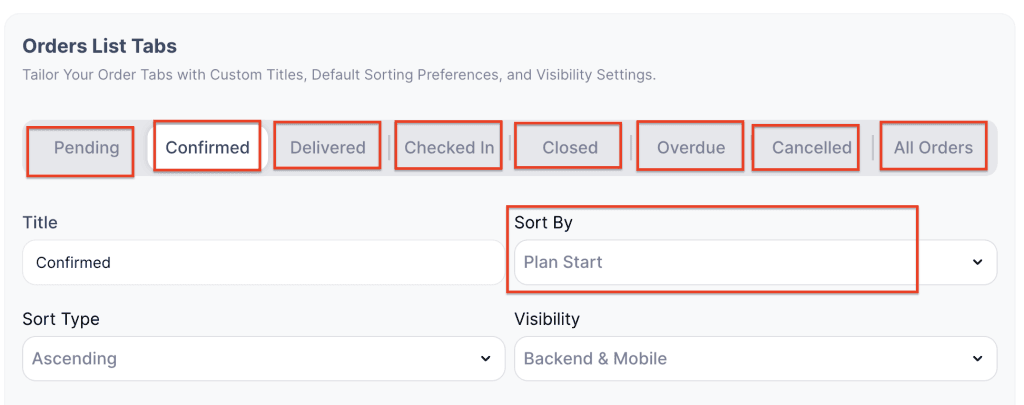
4. This allows you to sort orders based on status, creation time, plan start, or plan finish dates.
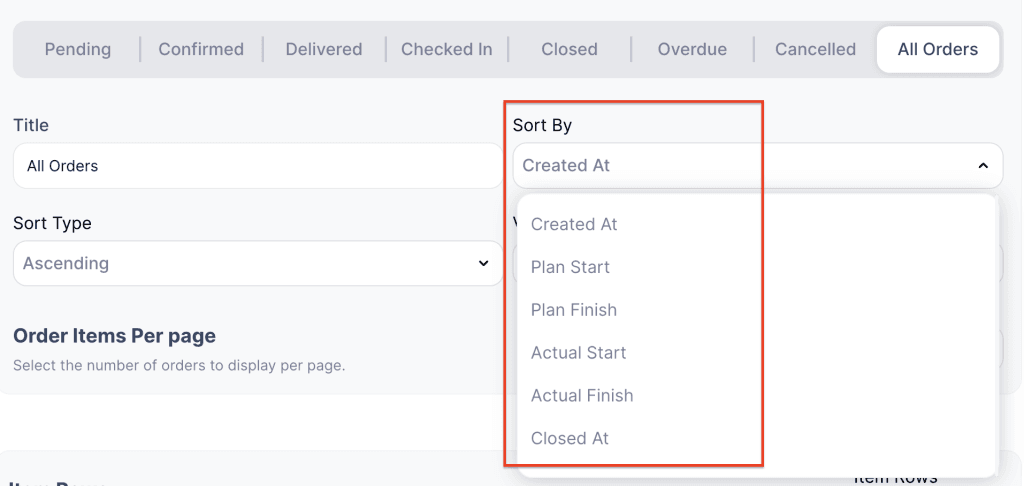
5. The dropdown menu options will change depending on the selected order status.
6. Click Save Changes to apply your selection.
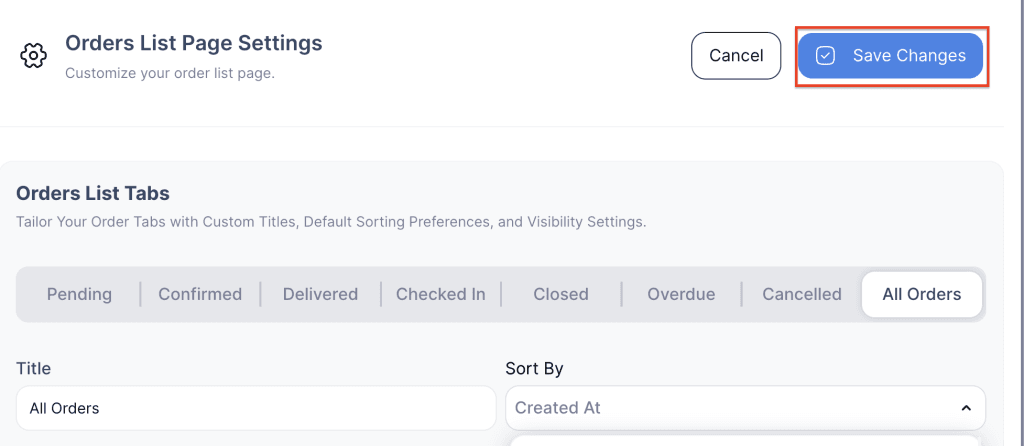
7. Orders will now be sorted by default according to the chosen option based on order status.