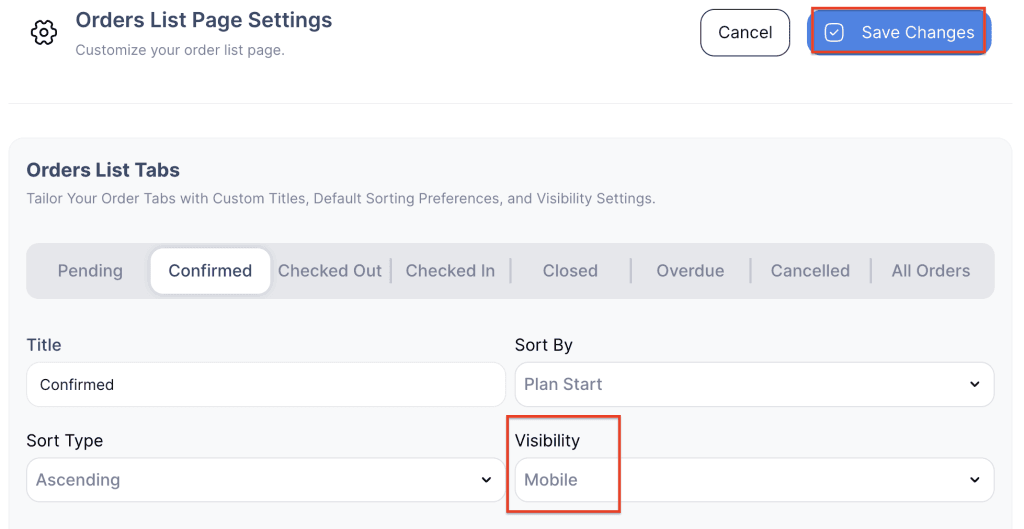
The Order List Tabs Visibility feature allows you to customize which order status tabs (such as Pending, Confirmed, Delivered, Returned, Closed, Cancelled, Overdue) are visible on different platforms.
You can choose where each tab should appear:
- Backend & Mobile: The selected tab will be visible on both the backend (admin panel) and the mobile view.
- Backend: The tab will only be visible on the backend system.
- Mobile: The tab will only be visible on the mobile view.
- Hide: The tab will be hidden from both backend and mobile views.
This feature helps tailor the order management interface to your team’s needs, improving efficiency by showing only the most relevant tabs for each platform.
- Log in to your rental platform. From the left-side menu, select Orders → Rent Orders.


2. Click on the Settings gear.

3. Choose the Visibility dropdown for each order list tab.
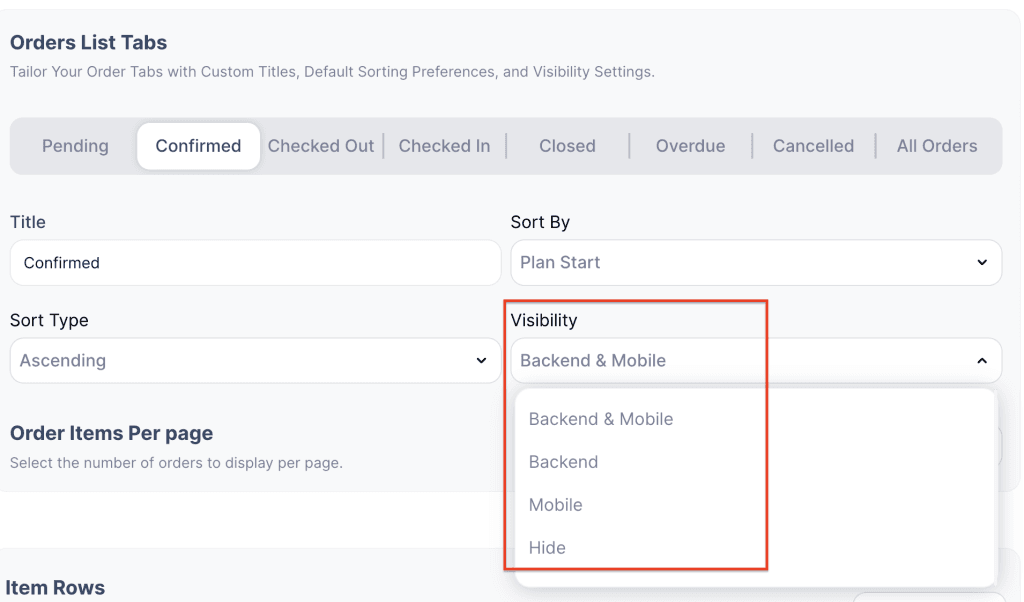
4. Select one of the options: Backend & Mobile, Only Backend, Only Mobile, or Hide.
5. Click Save Changes to apply your selection.