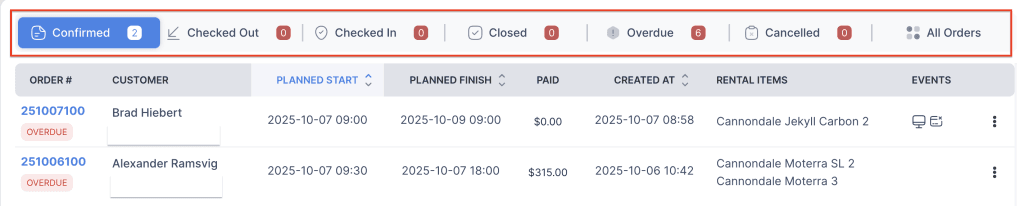
The Customize Order List Tabs feature allows you to organize and view orders based on their current status. Each tab represents a different stage in the order lifecycle, helping you quickly access and manage orders efficiently.
The available tabs include:
- Pending: Orders that are created but not yet confirmed.
- Confirmed: Orders that have been reviewed and approved for processing.
- Delivered: Orders where all items have been successfully delivered to the customer.
- Returned: Orders in which items have been returned by the customer.
- Closed: Orders that are fully completed and finalized.
- Cancelled: Orders that were cancelled before processing or delivery.
- Overdue: Orders that have passed their expected delivery or return date and require attention.
This feature helps streamline order management by providing a clear overview of orders at each stage.
- Log in to your rental platform. From the left-side menu, select Orders → Rent Orders.


2. Click on the Settings gear.

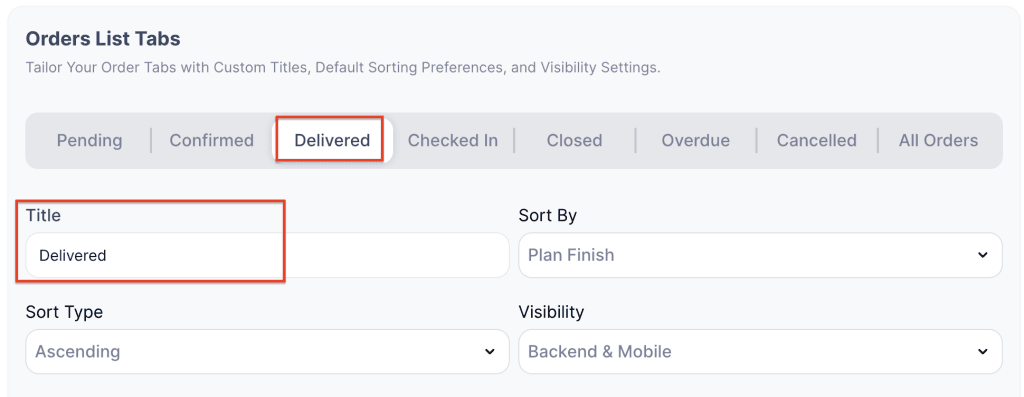
3. Choose the Order List Tab and enter the custom name in the Title field.
4. Click Save Changes to apply the updates.
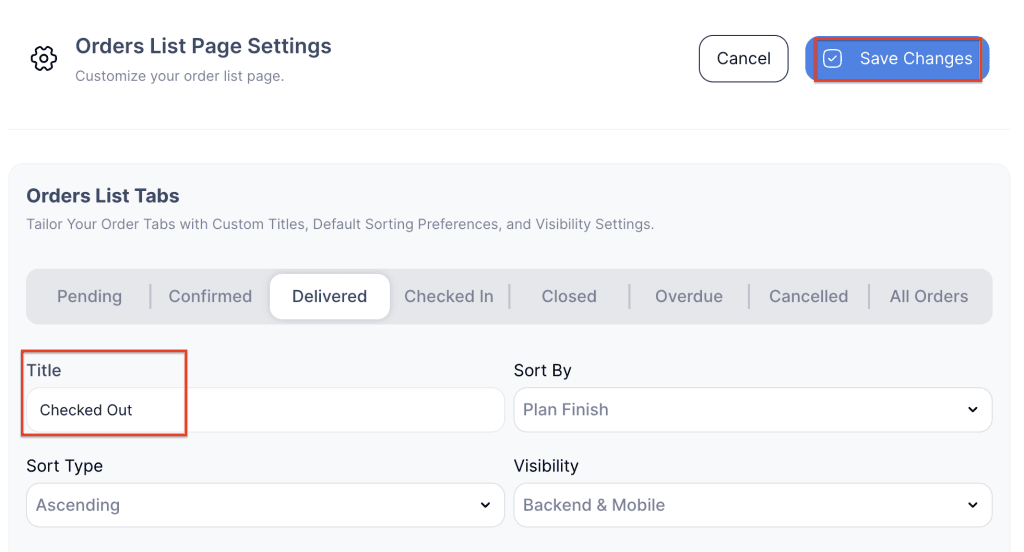
5. The renamed order list tab will now appear with the new title.