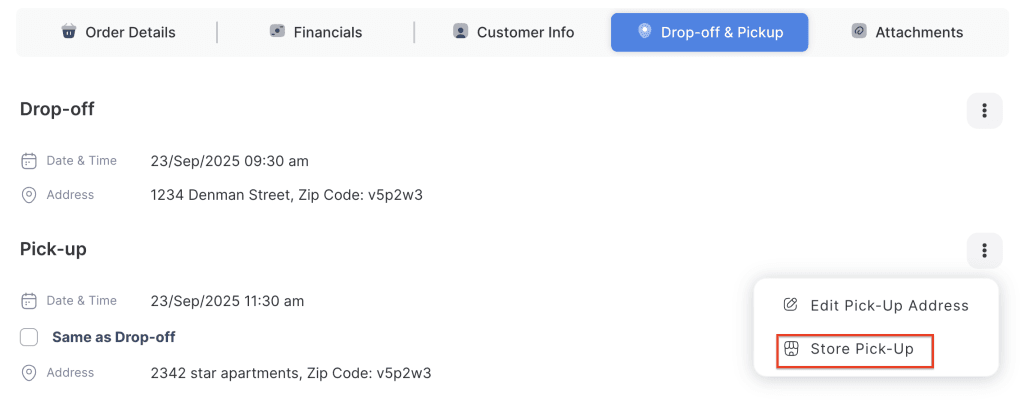
The Cancel Drop-off & Pickup Request feature allows staff to cancel a scheduled delivery or pickup when the customer no longer requires the service. This ensures that unnecessary delivery arrangements are avoided and fees are not incorrectly applied.
- Cancel Drop-off: If the customer decides to pick up the rental item directly from the store instead of having it delivered, staff can cancel the drop-off request.
- Cancel Pickup: If the customer chooses to return the rental item themselves rather than having it collected, staff can cancel the pickup request.
This feature helps maintain accurate delivery schedules, prevents incorrect billing, and provides flexibility when customer plans change.
- Log in to your rental platform. From the left-side menu, select Orders → Rent Orders.

2. Search for the customer name or order number in the search box.
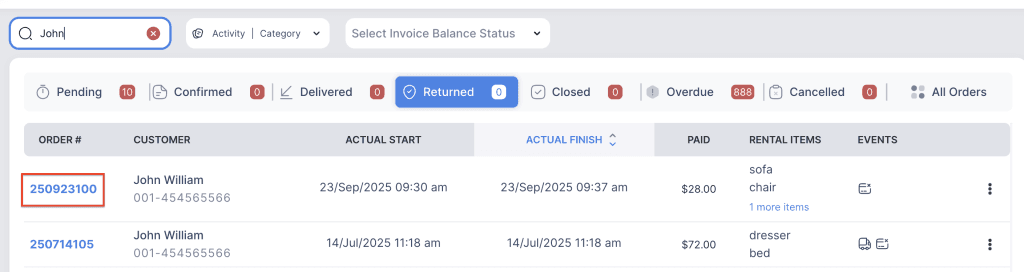
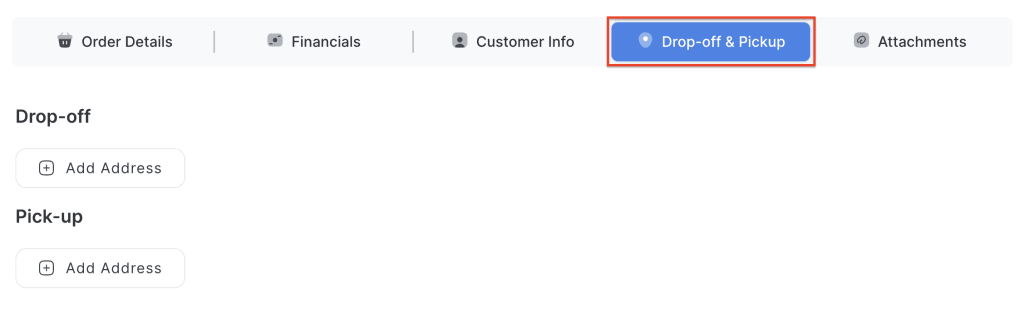
3. Click on the order number to open the reservation and go to Drop-off & Pickup tab.
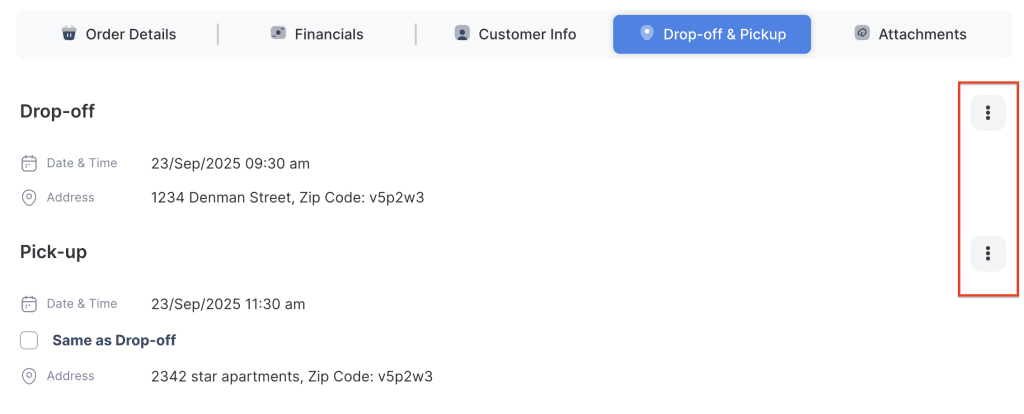
4. Click on the three-dot menu for the dropoff or pickup to view additional options.
5. Click on Store Drop-off to cancel the drop-off request.
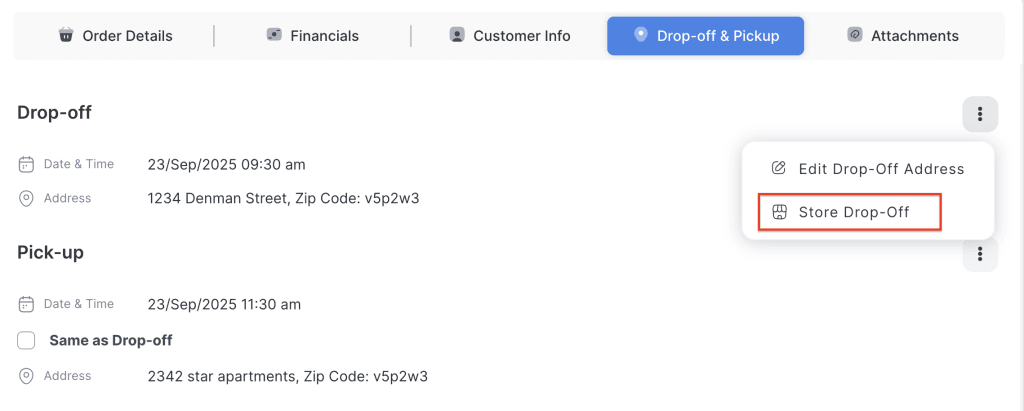
6. Click on Store Pickup to cancel the pickup request.