
The Drop-off & Pickup feature allows businesses to deliver rental items directly to the customer’s location and later pick them up from the same or a different location. A delivery fee can be applied automatically based on the type of delivery selected. Staff can also edit drop-off and pickup details if changes are needed after the initial setup.
- Drop-off: Delivering the rented item(s) to the customer’s specified location. Staff can edit the address, date, or time if required.
- Pickup: Collecting the rented item(s) from the customer’s location after the rental period ends. Pickup details, including address and timing, can also be modified as needed.
This feature improves customer convenience, allows flexibility in delivery scheduling, and ensures accurate billing for delivery services.
- Log in to your rental platform. From the left-side menu, select Orders → Rent Orders.

2. Search for the customer name or order number in the search box.
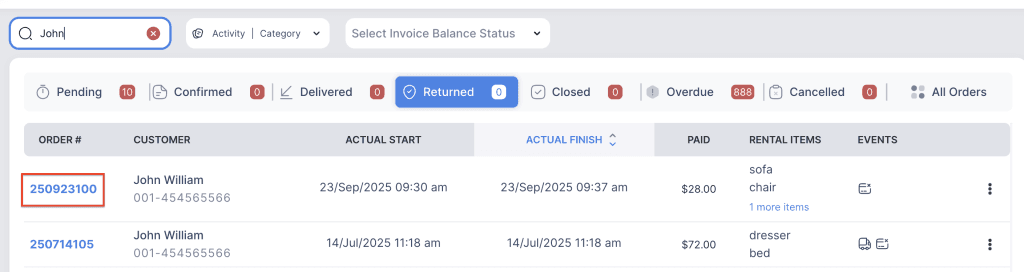
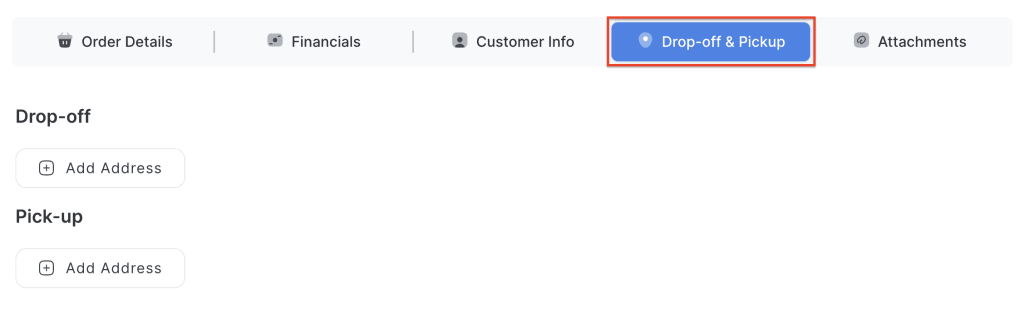
3. Click on the order number to open the reservation and go to Drop-off & Pickup tab.
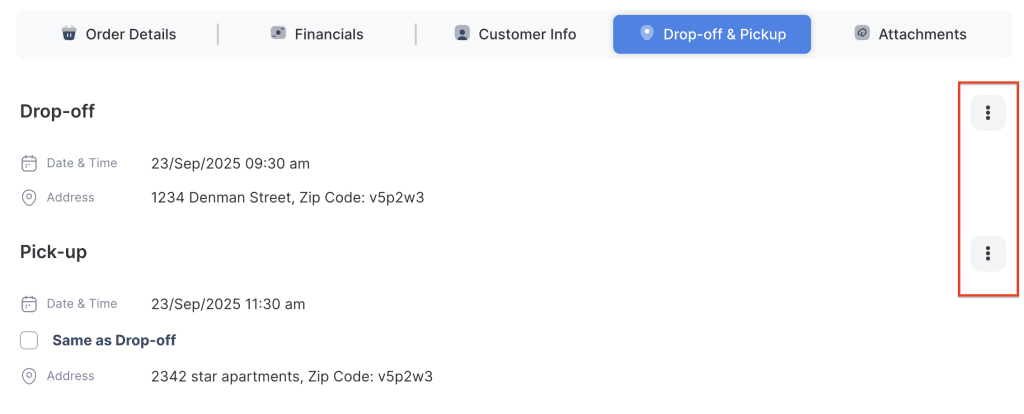
4. Click on the three-dot menu for the dropoff or pickup to view additional options.
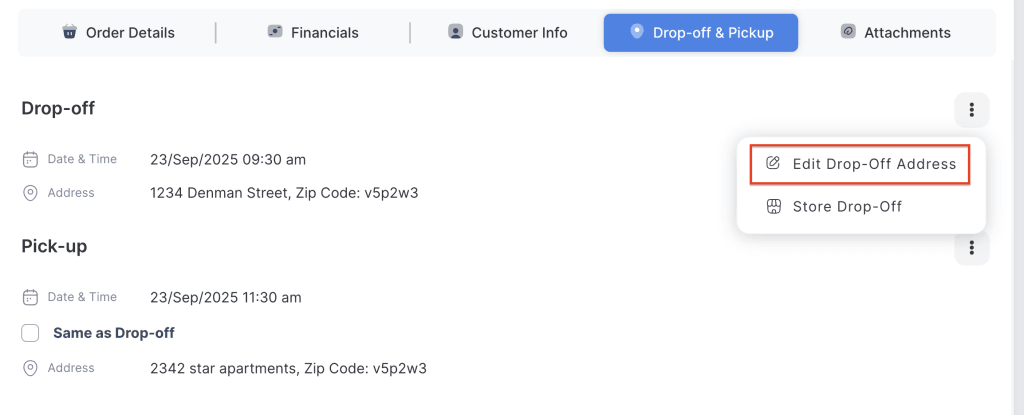
5. Click on Edit Dropoff Address or Edit Pickup Address to edit the respective details.
6. Modify the address, Zip code, or scheduled start time as needed.
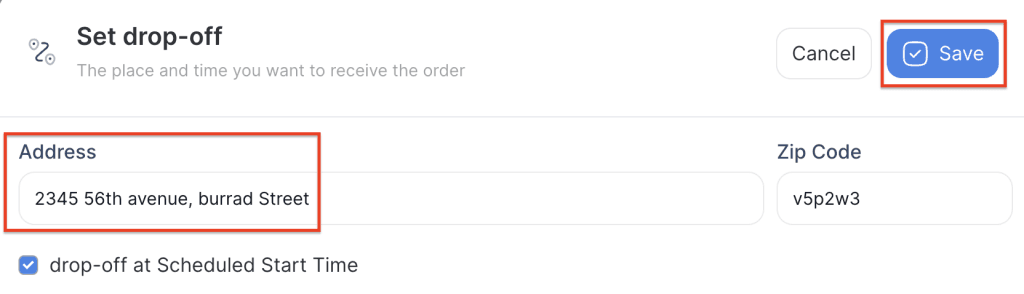
7. Click on Save to apply the changes.