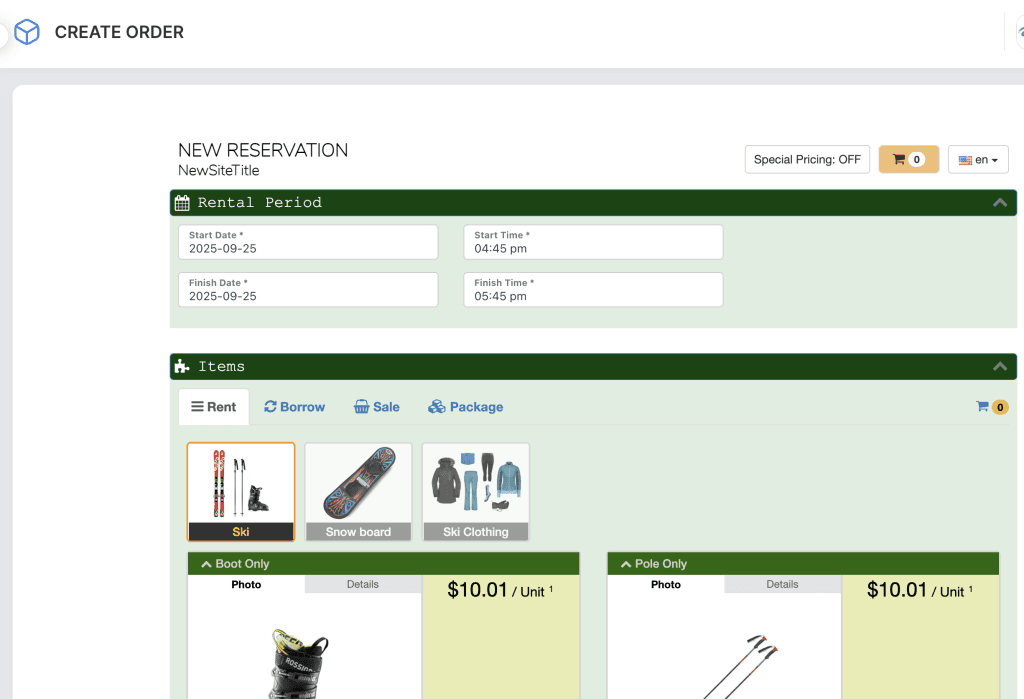
The Backend Order Form is designed for store staff to create and manage orders on behalf of customers. It is accessed through the admin dashboard and gives staff full control over reservations, pricing, and customer details.
Some of the Key Features
- Staff-Managed Orders
Staff can create new reservations directly in the system when customers place orders over the phone, by email, or in person. - Full Access to Products
Unlike the online order form, the backend order form allows staff to access all products, including those hidden from online customers. - Custom Pricing & Discounts
Staff can adjust prices, apply discounts, waive fees, or manually add surcharges as needed. - Customer Management
Quickly add new customers or select existing customer profiles while placing the order. - Flexible Payments
Accept and record different payment methods (cash, card, online, or split payments). Staff can also accept deposits or partial payments.
Access to Back-end Order Form
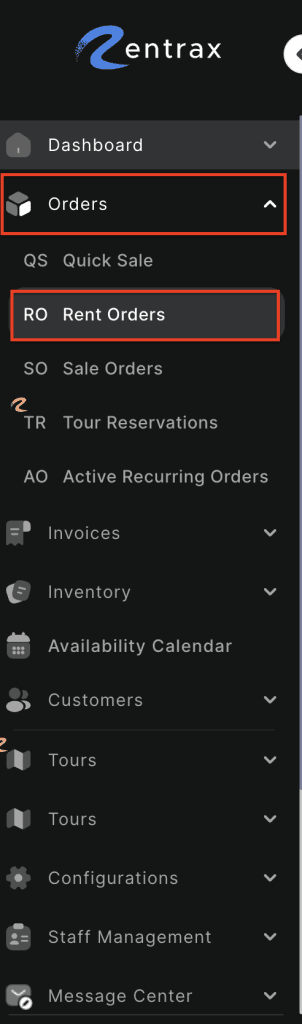
- Log in to your rental platform. From the left-side menu, select Orders → Rent Orders.
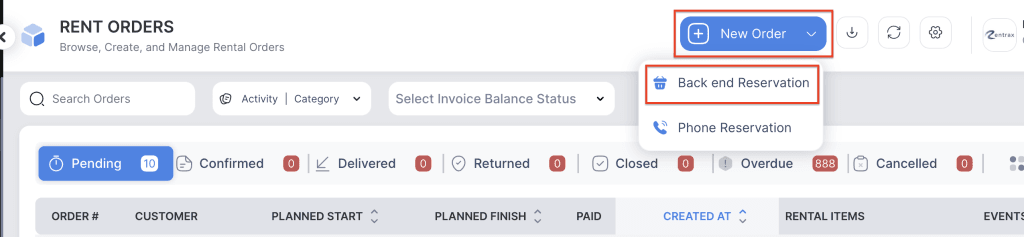
2. Click on the New Order button and choose Backend Reservation.
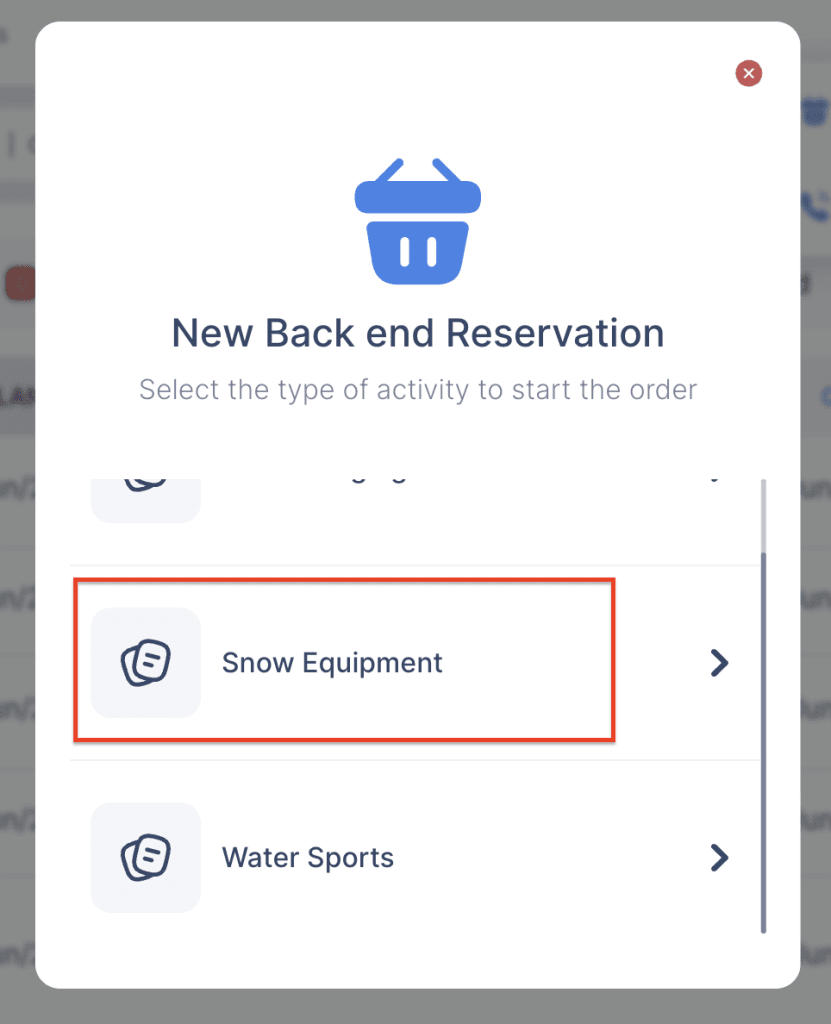
3. If your store supports multiple activities, choose the activity you want to create the order for.
4. The Backend Order Form will now open and be available for staff to complete.