This option allows you to increase or decrease the quantity based of a specific item in an existing order. Adjust the quantity to reflect changes requested by the customer or to correct entry errors.
- Log in to your rental platform. From the left-side menu, select Orders → Rent Orders.


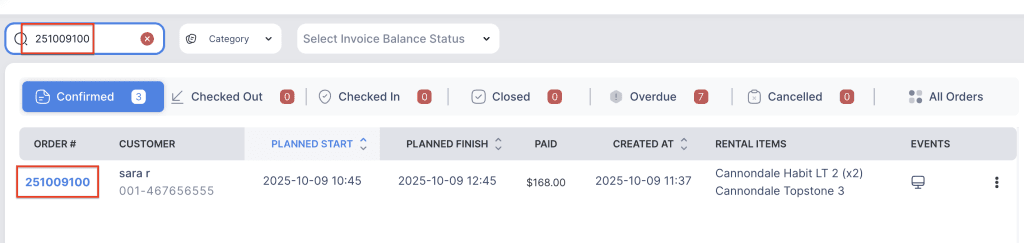
2. Search for the main customer name or order number in the search box.
3. Click on the Order Number to open the reservation.