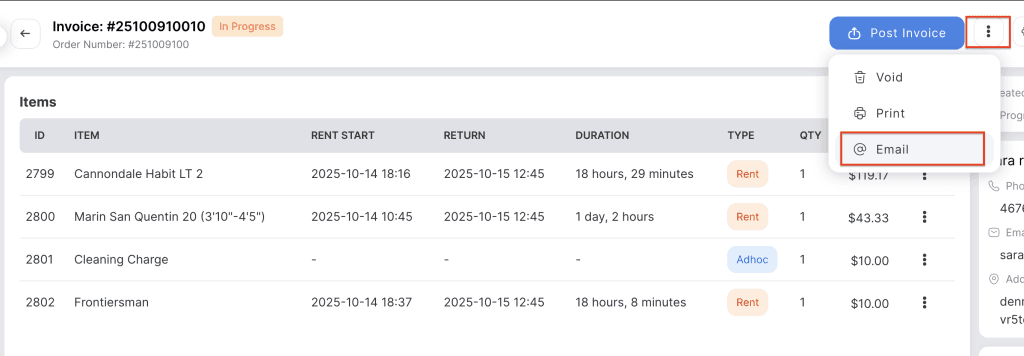
Use this option to email the order or invoice directly to the customer. The email includes order details, payment summary, and invoice details for customer reference.
- Log in to your rental platform. From the left-side menu, select Orders → Rent Orders.


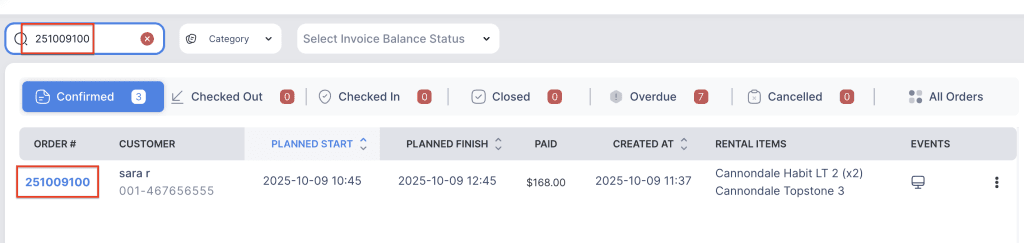
2. Search for the main customer name or order number in the search box.
3. Click on the Order Number to open the reservation.
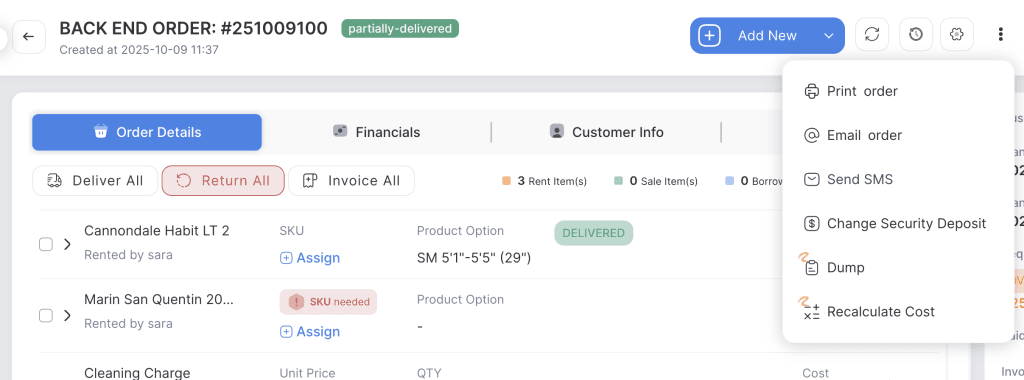
4. Order Email: Click on the three dot menu and choose “Email Order” button. A manual order email will be sent to the clients.
NOTE: Create a manual order email in the Email templates and assign the template to the manual order event.
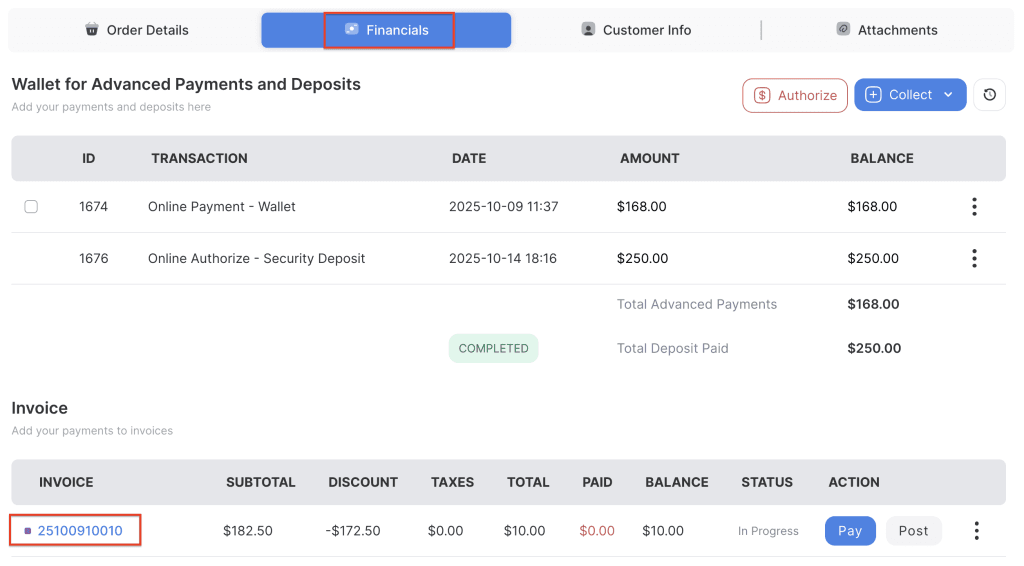
5. Invoice Email: Go to the “Financials” tab and click on the Invoice number.
6. Click on the three dot menu and choose “Email button”. A manual order email will be sent to clients.
NOTE: Create a manual Invoice email in the Email templates and assign the template to the manual invoice event.