
Customer Info in the rent orders section where you can manage all renter-related details for an order. Here, you can add participants, collect and view signed waivers, add or modify renter attributes (such as boot size, height, weight, drivers license etc.), and send waiver requests via email with the waiver attached for customers to sign.
- Log in to your rental platform. From the left-side menu, select Orders → Rent Orders.


2. Search for the customer name or order number in the search box.
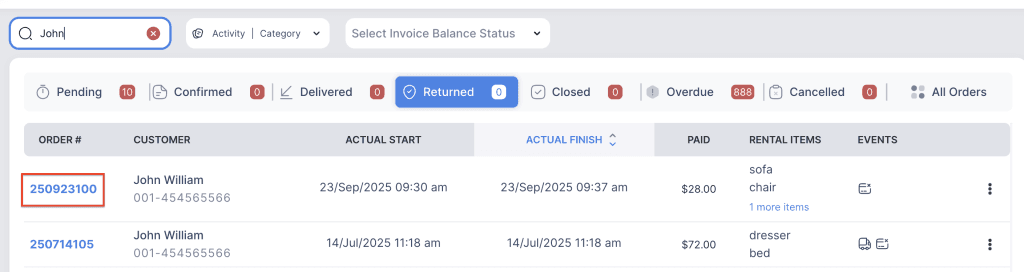
3. Click on the order number to open the reservation and go to Customer Info tab.

4. Click on the three-dot menu for the main customer and choose Edit Customer.
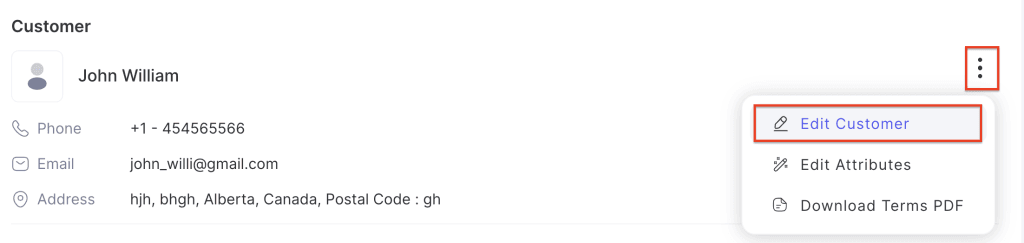
5. Which will redirect you to the customer’s profile where you can update details such as name, email, address, and phone number.
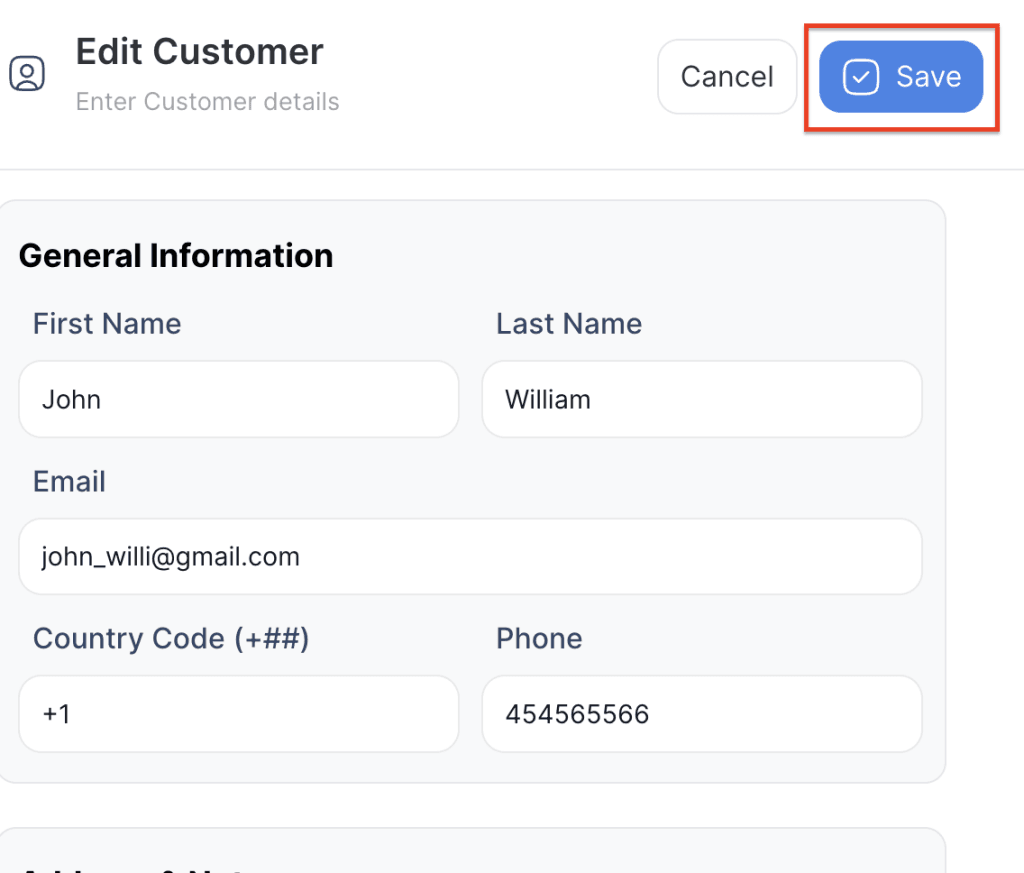
6. Click on Save to save the changes. Any changes made in the customer profile will automatically update in the order.