
The Email Waiver to Participant feature allows staff to send the waiver form directly to a participant via email. Participants can review and electronically sign the waiver before the rental begins.
This feature streamlines group bookings and ensures all participants have completed necessary agreements before using the equipment.
- Log in to your rental platform. From the left-side menu, select Orders → Rent Orders.


2. Search for the main customer name or order number in the search box.
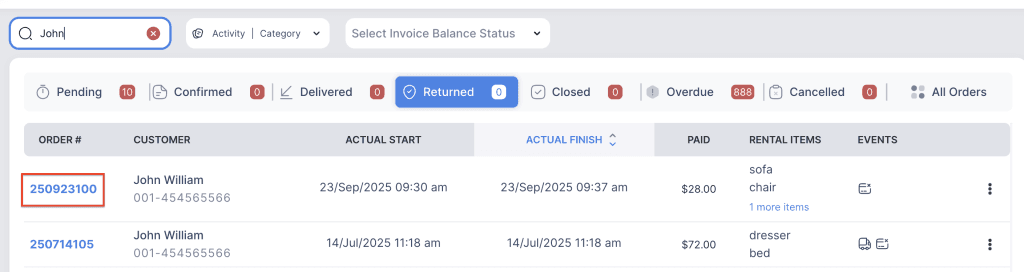
3. Click on the order number to open the reservation and go to Customer Info tab.

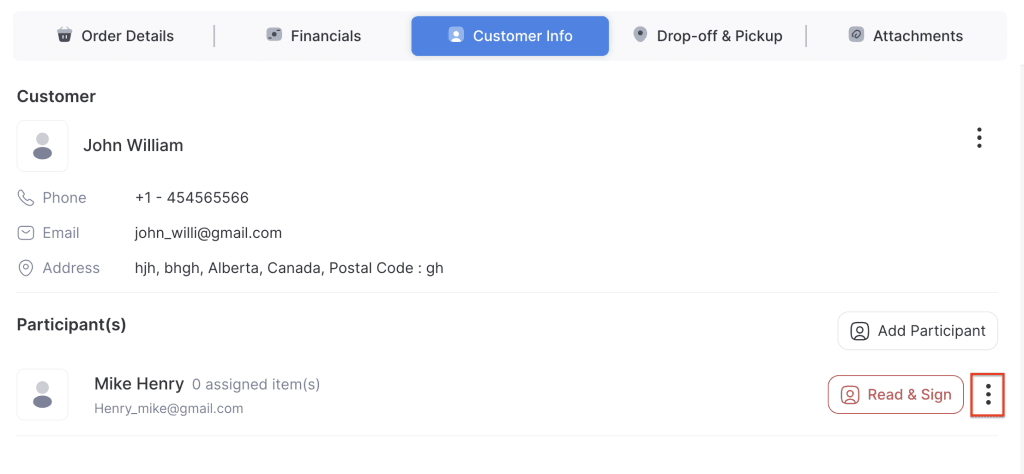
4. Click on the three-dot menu for the participant.
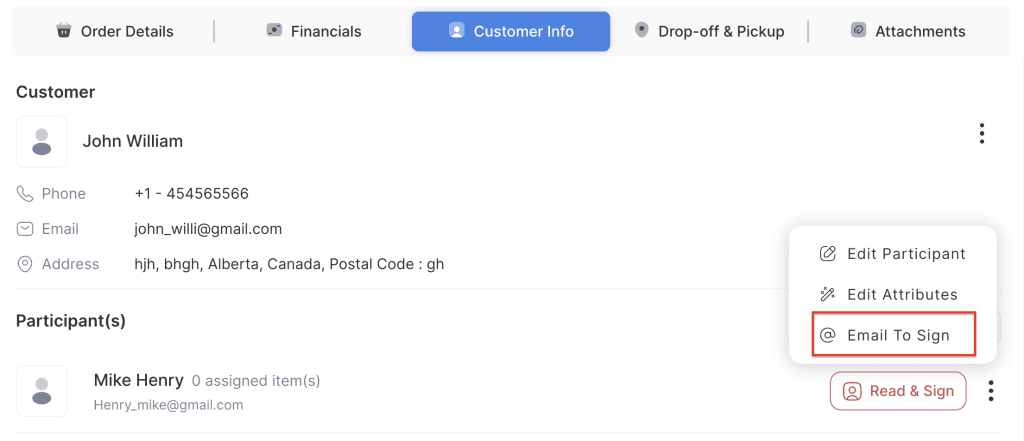
5. Choose Email to Sign. The waiver email will be sent to the participant for electronic signature.
6. Once the participant has signed the waiver, the Read & Sign button will disappear. The signed waiver is automatically linked to the participant’s record in the order.
