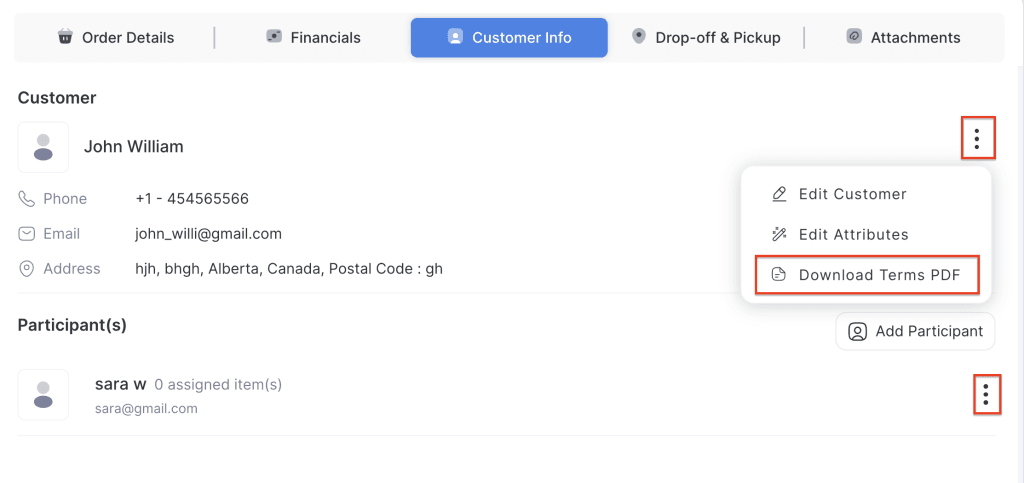
The Download Signed Terms & Conditions feature allows staff to retrieve a copy of the signed agreement for both the main customer and any participants linked to the order. This ensures that a record of signed agreements is always available for reference, compliance, or dispute resolution.
- Log in to your rental platform. From the left-side menu, select Orders → Rent Orders.


2. Search for the main customer name or order number in the search box.
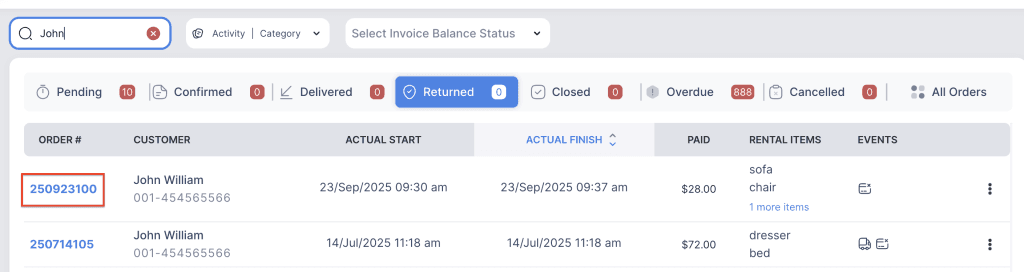
3. Click on the order number to open the reservation and go to Customer Info tab.

4. Click on the three-dot menu for the main customer or the participant.
5. Choose Download Terms PDF. The signed Terms & Conditions will be downloaded as a PDF file.