
The Product Options Visibility setting controls whether customers can see and select options (such as size, color, brand, etc.) on the order form.
- When a product is SKU-based, inventory is tracked individually for each SKU.
- Any options added to the inventory (e.g., size, color, brand) can be configured to:
- Visible to customers – Customers can select the option on the order form.
- Hidden from customers – Options remain available internally but are not shown to customers.
This setting ensures flexibility in how product options are presented to customers while maintaining accurate inventory tracking.
- Click on the Inventory from the left side menu and click on the Categories.

2. Click on the setting gear icon to set some customised settings for each category.

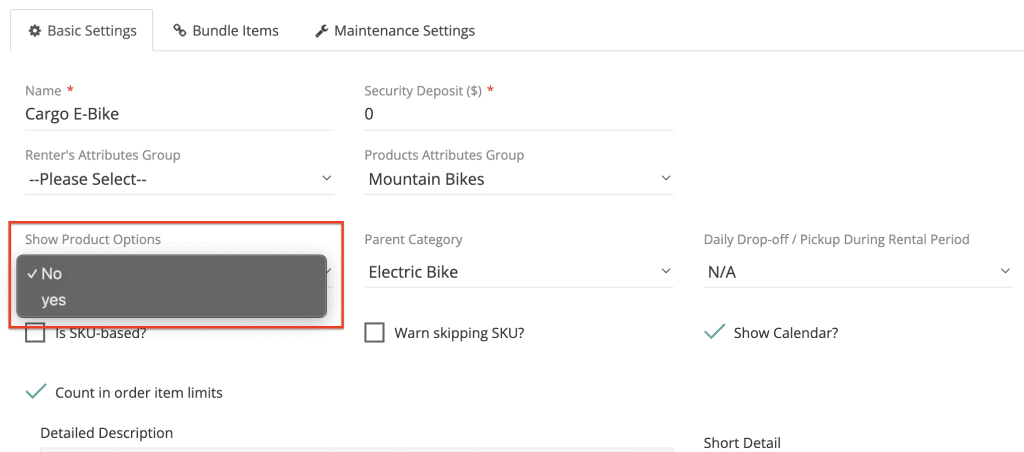
3. Select the desired option:
Yes – Customers can see and select the product options on the order form.
No – Options remain available internally for staff but are not shown to customers.
4. Click Save to apply the changes.