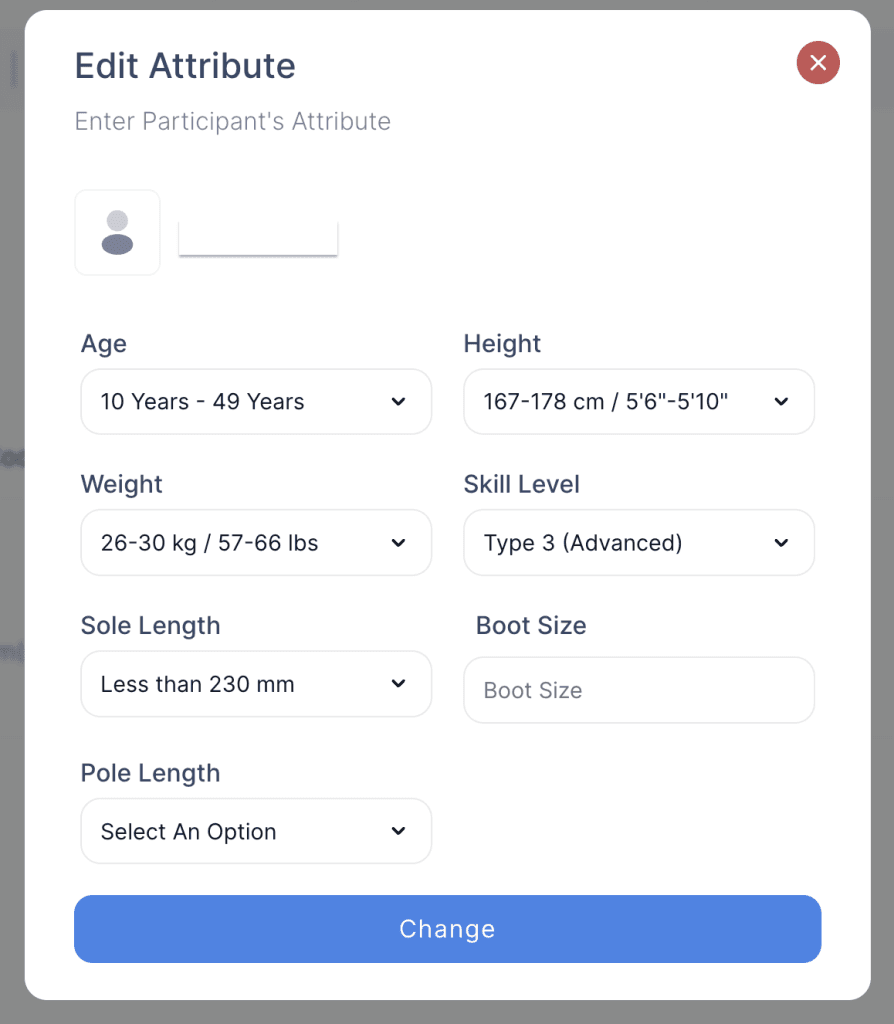
The Update Renters Attributes feature allows staff to view and modify information collected at the time of reservation for both main renters and additional renters. Includes details such as height, weight, sole length, boot size (for DIN calculation), or driver’s license information (e.g., for golf carts).
- Log in to your rental platform. From the left-side menu, select Orders → Rent Orders.


2. Search for the main customer name or order number in the search box.
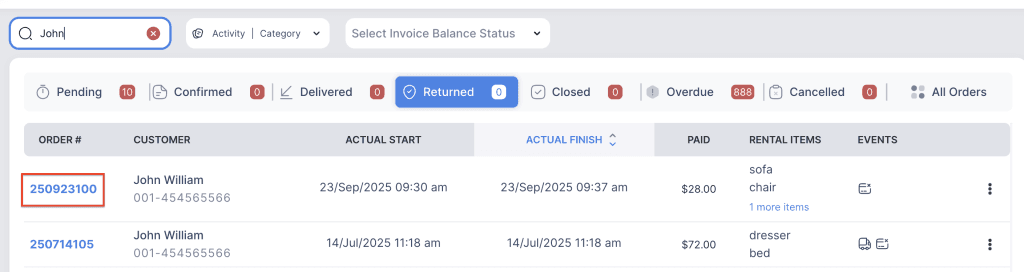
3. Click on the order number to open the reservation and go to Customer Info tab.

4. Click on the three-dot menu for the main customer and choose Edit attributes button.
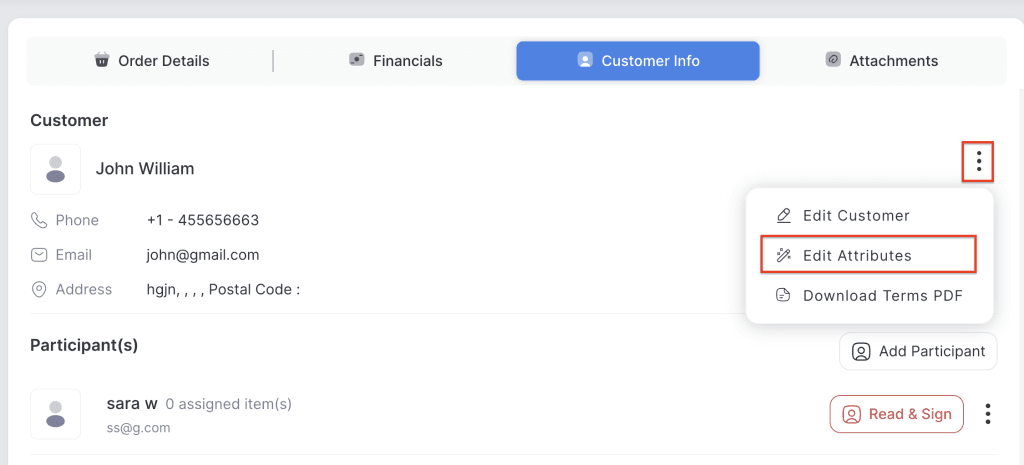
5. Modify the relevant attributes and click the Change button to save the updates.